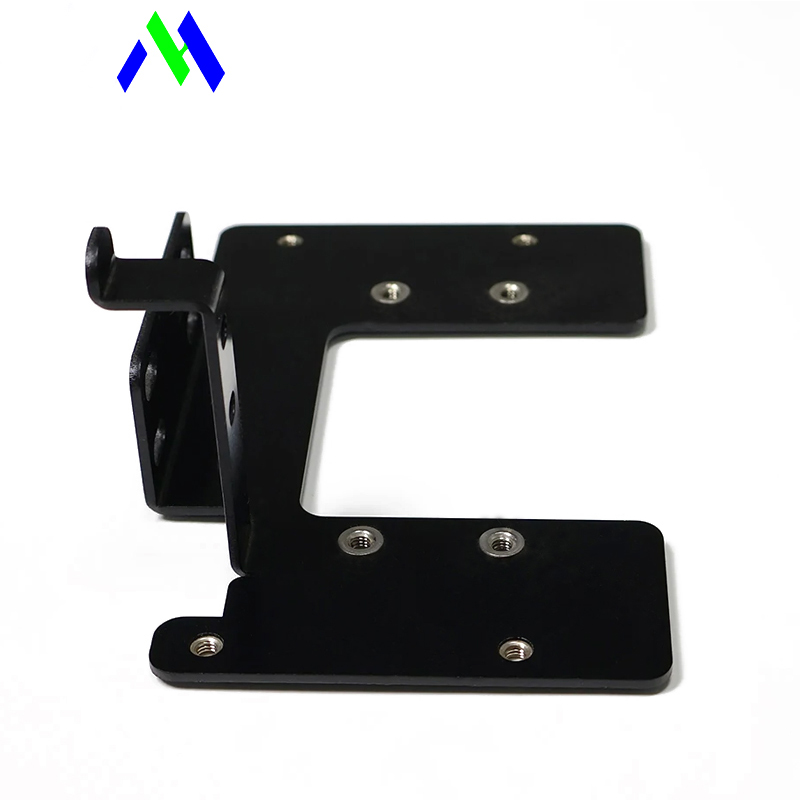
Translating a conceptual 3D CAD model into a physical piece of metal resembles complex engineering origami. You fold flat patterns into functional reality. However, designs often look flawless on your screen but fail miserably on the shop floor. Material interference, localized tearing, and severe tolerance stack-up routinely ruin perfect digital models. Why does this happen? The transition from digital to physical introduces strict mechanical constraints. You must account for material stretching, tooling limits, and actual machine behaviors.
This article outlines a stringent Design for Manufacturability (DFM) framework to solve these manufacturing headaches. Our objective is straightforward. We want to help you eliminate costly redesign cycles and properly evaluate your manufacturing vendor's capabilities. You will learn how to align digital expectations with shop floor realities. By following these guidelines, you can ensure reliable part execution every single time.
CAD dimensions represent the ideal state; material stretching requires precise K-Factor calculations and specific software "Sheet Metal Rules" prior to design.
Standardizing bend radii across a single part significantly reduces machine setup time and tooling costs.
Features like holes and cutouts must maintain strict distance ratios (typically 4x material thickness) from brake lines to avoid irreversible distortion.
Collaborating with vendors on tooling limitations (e.g., gooseneck dies vs. back bending) determines the feasibility of complex geometries like deep U-channels.
Metal inherently stretches when you bend it. The inner radius compresses while the outer radius expands. This simple physical reality means flat patterns never exactly match their formed counterparts. When you engage in custom sheet metal bending, understanding material elongation becomes critical.
To predict how much a material will stretch, engineers use the K-Factor. We define the K-Factor as the ratio of the material's neutral axis to its overall thickness. Typically, this value ranges between 0.25 and 0.50. The neutral axis represents the exact layer inside the metal where neither compression nor tension occurs. Assuming a 1:1 flat-to-formed ratio guarantees dimensional failure. You must apply the correct K-Factor to calculate accurate flat patterns.
Press brake forming fundamentally relies on the "Three Points of Contact" rule. A workpiece must physically touch the tooling at three distinct points. It touches the punch tip and both top edges of the V-die. This contact ensures the metal bends uniformly along the intended brake line. If your design prevents the material from maintaining these three points, the bend will warp. Asymmetrical deformation happens almost immediately.
You cannot simply draw a solid block in 3D CAD and hollow it out. You must establish specific "Sheet Metal Rules" before initiating your design. Software platforms like SolidWorks or Fusion 360 require explicit inputs. You must define material thickness, baseline bend radius, and vendor-supplied K-factors immediately. Adjusting standard solid bodies retroactively causes errors. Configure your digital workspace to match physical shop capabilities from day one.
Successful execution of sheet metal bending parts depends on rigid numerical rules. Ignoring these constraints forces machine operators to guess, which inevitably ruins precision.
Flange lengths cannot be arbitrarily small. A flange must measure at least four times the material thickness. Shorter flanges simply slip down into the V-die during forming. They lose the required three points of contact. When this happens, the press brake crushes the metal unevenly. This causes severe asymmetrical deformation.
Placing holes or slots too close to a bend line guarantees distortion. The immense pressure of the press brake pulls and stretches nearby material. We use a standard safe zone formula to prevent this.
Standard Formula: Distance = 2.5x thickness + bend radius.
Safer Alternative: Distance = 4x material thickness.
Sometimes your design absolutely requires a feature near the bend. In these cases, you must dictate a workaround. Design material relief cuts around the hole. Extend these cuts completely through the bend zone. This approach releases mechanical stress and preserves the hole's shape.
When you bend a flange, the edges often tear. You must design bend reliefs to prevent this material tearing. A proper bend relief must follow mandatory sizing rules. The relief depth must exceed your bend radius. Simultaneously, the relief width must equal or exceed the material thickness. These small cutouts separate the forming material from the flat material safely.
Countersinking thin sheet metal weakens its structural integrity. You must control the depth of these features strictly. Countersink depth should never exceed 0.6 times the board thickness. Pushing beyond this limit leaves too little material to support fasteners. The metal will buckle under assembly torque.
Summary of Core Dimensional Constraints | ||
Feature Type | DFM Minimum Constraint | Consequence of Ignoring |
|---|---|---|
Flange Length | 4x Material Thickness | Slips into V-die, asymmetrical deformation |
Hole Proximity | 2.5x Thickness + Bend Radius | Irreversible hole stretching |
Bend Relief | Depth > Bend Radius; Width ≥ Thickness | Material tearing at flange edges |
Countersink | Max Depth = 0.6x Thickness | Structural failure during fastening |
Geometries look simple in CAD but often create physical collisions on the shop floor. You must evaluate how your chosen vendor will handle complex shapes.
Forming deep boxes or narrow U-channels creates a primary pain point. During the final bend, the already-formed sides swing upward. They often collide directly with the standard press brake ram. This physical interference prevents the machine from completing the angle. You must anticipate this collision during the design phase.
When specialized tools are unavailable, skilled operators utilize back bending. This is a highly operator-dependent technique.
The operator forms a temporary "W" shape in the center of the part.
This extra geometry provides clearance around the machine ram.
The operator executes the final side bends.
Finally, they flatten the temporary "W" shape back out.
While effective, back bending dramatically increases labor time. It requires high operator expertise and inflates your per-part cost.
Modern manufacturers solve interferences using specialized tooling. They employ gooseneck dies or swan neck dies. These tools feature a distinct cutout profile. The formed metal safely tucks into this hollow area during the stroke. Pairing custom dies with advanced simulation software achieves interference-free bends in a single pass.
Handling excessively small parts introduces ergonomic hazards and precision errors. Operators risk their fingers, and small parts trigger safety light-curtain errors constantly. We strongly suggest using micro-tabs. Group several small parts into a single larger sheet. Operators bend the entire group simultaneously. This strategy utilizes multi-axis backgauging more effectively and protects workers from injury.
Tooling Strategy Comparison Chart | ||
Geometry Challenge | Process Solution | Tooling Solution |
|---|---|---|
Deep U-Channels | Back Bending (W-shape) | Gooseneck / Swan Neck Dies |
Micro-Parts | Manual plier bending | Micro-tabs + Multi-axis gauging |
Your material selection dictates machine behavior. High-strength materials fight back against the press brake, requiring advanced compensation strategies. Knowing these material limits prevents impossible digital requests.
High-yield materials naturally attempt to return to their original flat state. This phenomenon is called springback. Stainless steel bending parts exhibit severe springback compared to mild steel. Manufacturers must over-bend the material intentionally. For example, to hit a 90-degree target, they might bend the metal to 87 degrees. Achieving a strict +/- 1-degree tolerance under these conditions is difficult. It usually requires advanced CNC press brakes equipped with real-time angle-measurement lasers.
Material selection directly dictates your maximum bendable angle. The required machine force, or tonnage, increases exponentially for thicker, harder materials. Thin aluminum easily reaches a sharp 130-degree bend. Conversely, thick stainless steel may hit a hard cap at 90 degrees. Machine tonnage limits simply cannot force rigid metal into acute angles without breaking the tooling.
You must consider post-bending processes. If your stainless steel parts require subsequent welding, be extremely careful. Stainless steel has very low thermal conductivity. Heat concentrates heavily in the weld zone. This makes the parts highly susceptible to severe warpage. You must add engineered skip-welding callouts on your drawing to minimize heat input.
Every minute a press brake sits idle costs you money. Smart designers optimize their parts to minimize machine setup changes and handling time.
Applying multiple different bend radii on a single part acts as a primary cost driver. Each distinct radius requires a different punch tool. The operator must stop the machine, swap the tooling, and recalibrate the system. This wastes massive amounts of time. Follow a simple rule. Use one universal inner radius per part whenever functionally possible.
Designers often add hems or curls for edge safety or stiffness. However, you must understand the cost reality.
Hems (whether teardrop, open, or flat) require two to three separate machine strokes.
This multiple-stroke process severely inflates the piece-price.
If your hem's only purpose is edge safety to prevent cuts, find an alternative. We recommend utilizing snap-on polymer edging materials instead. This avoids machining a hem entirely and saves significant budget.
Never base critical dimensions on bent surfaces if you can avoid it. Advise your team to make crucial assembly features independent of bend lines. Bending inherently introduces linear tolerance stack-up. If you chain multiple bends together, the error amplifies at each step. Decoupling mounting holes from the fold lines prevents these errors from migrating. This ensures the final assembly aligns perfectly.
Before you send any file to a vendor, you must run a final verification. Clean files prevent automated errors and clear up liability boundaries.
Designers must successfully unfold their 3D models into flat patterns within their native CAD software before export. If the software refuses to unfold it, the machine cannot bend it. Forcing the manufacturer to rebuild a failing 3D model blurs liability. If they alter the file to make it work, responsibility for dimensional errors becomes unclear. Always verify the unfold yourself.
Check your fastener locations carefully. Ensure PEM nuts, Rivnuts, or weld nuts placed near bends have adequate clearance. The massive pressure of the press brake deforms the metal near the fold. If an insertion hole sits too close, it will warp. The fastener will not fit securely. Always verify you have designed sufficient material relief around these zones.
Automated laser-cutting software interprets exactly what you send. You must ensure file cleanliness.
Remove any arbitrary 3D splines or construction lines.
Ensure all hardware and solid bodies sit on a unified layer.
Export flat patterns in a strict 1:1 scale using DXF or STEP formats.
Messy files cause automated nesting software to misinterpret the geometry. This leads to scrapped parts and delayed schedules.
Successful custom sheet metal fabrication is never about pushing machine limits. It is about designing intelligently within those specific boundaries. The most visually precise CAD model is entirely useless if it ignores reality. Tooling interferences, material elongation, and tolerance stack-up will ruin poorly planned projects.
You must adopt proactive DFM strategies. Consolidate your bend radii, calculate your K-factors properly, and respect safe proximity zones. We strongly encourage engineers to share flat-pattern DXFs and 3D STEP files with their fabrication partner early in the design phase. Align your digital software rules with the vendor's physical tooling inventory today to ensure a seamless production run tomorrow.
A: Deep enclosures risk colliding directly with standard press brake rams. The optimal method relies on specialized tooling like gooseneck or swan neck dies. These dies provide a physical cutout for the material to clear the ram. If custom dies aren't available, skilled fabricators can utilize a "back bending" technique, though it requires more labor.
A: While bending uses a press brake to create linear folds along a V-die, stamping uses custom-machined progressive dies. Stamping presses stretch, coin, and form complex 3D contours simultaneously. Stamping is highly cost-effective for massive volume, whereas sheet metal stamping parts require huge upfront tooling investments. Bending remains superior for prototyping and low-to-mid volume manufacturing.
A: The industry standard dictates placing the edge of the hole at a safe distance. This distance must be at least 2.5 times the material thickness plus the bend radius away from the bend line. If closer placement is unavoidable, you must design a relief cut completely around the hole to absorb the stress.
A: Tolerance stack-up is the cumulative linear error that occurs when multiple bends are chained together. If an initial bend is off by just 0.5 degrees, the resulting dimensional shift amplifies in every subsequent bend. This compounding error often results in final mounting holes failing to align during assembly.